
![[Playwright Python] Bài 14 - NÂNG CAO XỬ LÝ TABLE & DROPDOWNS](/uploads/course/website_and_api_testing_automation_with_playwright_python.png)
NỘI DUNG BÀI HỌC
✅ Nhận diện các loại Table trên UI thực tế
✅ Phân tích đặc điểm DOM & hành vi load dữ liệu của từng loại table
✅ Đọc dữ liệu table theo row / column / cell
✅ Thao tác action theo từng row (Edit / Delete / View)
✅ Xử lý Pagination / Sorting / Dynamic loading
✅ Xử lý Dropdown (native & custom)
✅ Viết hàm reusable để code ngắn gọn, ổn định, tránh flaky
I. Các loại Table thường gặp trên UI & CÁCH GIẢI QUYẾT
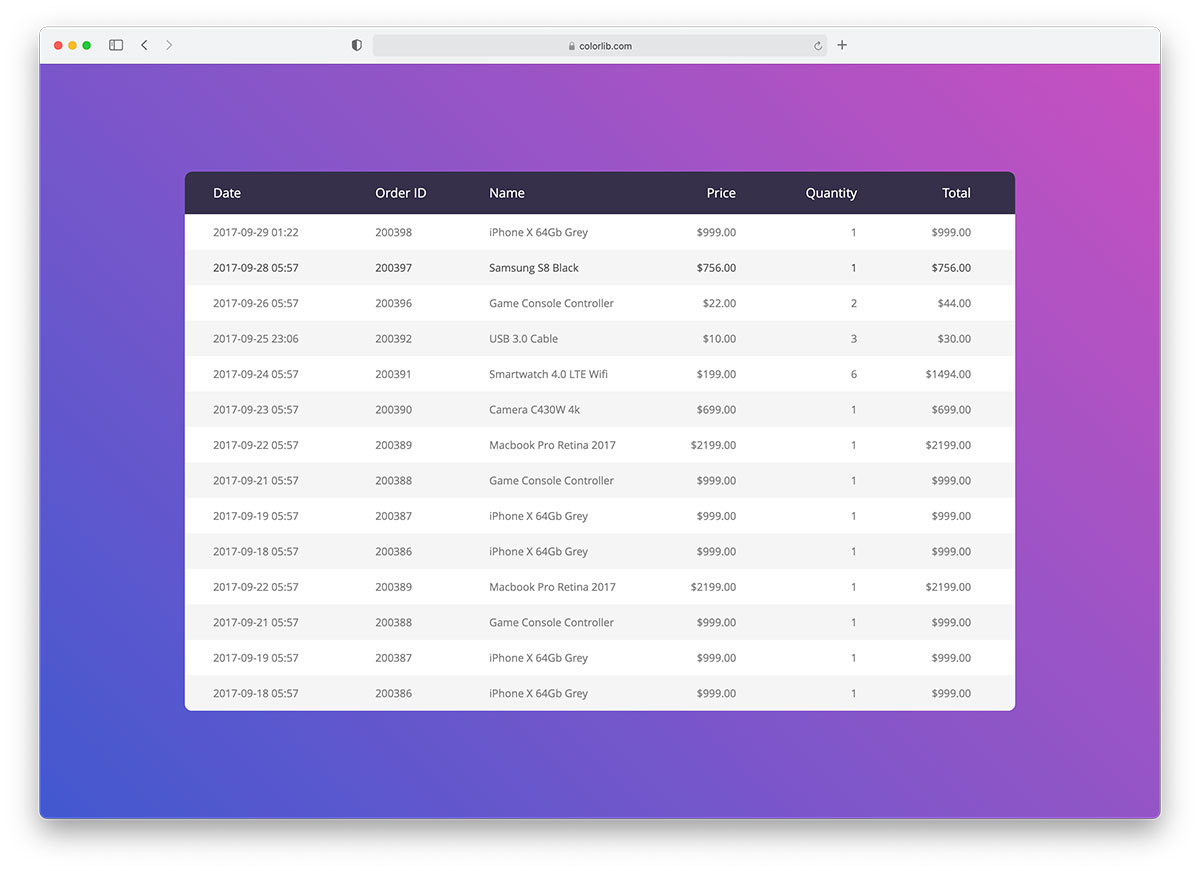
🟦 1.1 Static Table (Table tĩnh)
Khái niệm
-
Table HTML thuần (
<table>) -
Dữ liệu render sẵn khi page load
-
Không gọi API khi filter/sort
🔎 Đặc điểm
-
Dữ liệu cố định, load sẵn khi mở trang
-
Không pagination, không sorting, không filter
-
Thường dùng cho: báo cáo nhỏ, bảng cấu hình, bảng so sánh
Ví dụ thực tế
-
Bảng thông số kỹ thuật
-
Bảng cấu hình hệ thống
-
Trang so sánh plan
Cách xử lý
-
Đọc trực tiếp DOM
-
Không cần chờ load lại
Mẹo
-
Dùng
get_by_role("table")hoặcdata-testidđể locator bền
Test case thường gặp
-
Verify số dòng
-
Verify header
-
Verify value theo row / column
-
Verify cell cụ thể
🤖 Cách xử lý Automation
-
Lấy
rows = table >> tr -
Lặp từng
row -
Dùng
td:nth-child(n)để đọc cột
🟦 1.2 Dynamic Table – Client-side
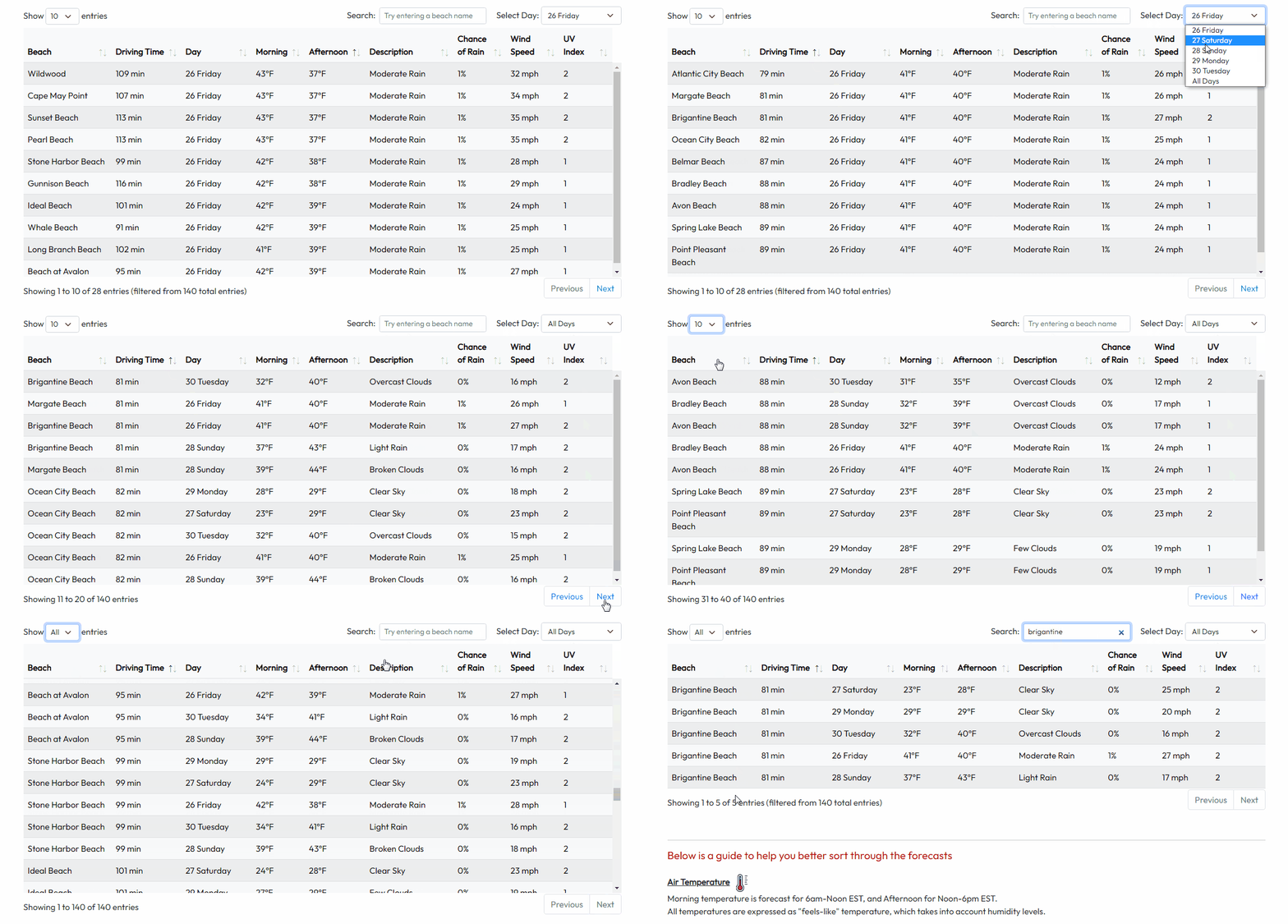
Khái niệm
-
Dữ liệu load 1 lần
-
Filter / sort bằng JavaScript
-
Không gọi API mới
Dấu hiệu nhận biết
-
Filter/sort không thấy request mới
-
DOM thay đổi ngay
Ví dụ thực tế
-
Bảng dữ liệu nhỏ
-
Trang report nhanh
Ví dụ thực tế
-
User Management
-
Product List
-
Order History
Test case thường gặp
-
Chờ table load xong
-
Verify data hiển thị đúng với API
-
Verify empty table
🤖 Cách xử lý Automation
-
❌ Không dùng
sleep -
Chờ UI ổn định (row count / text)
-
Không cần chờ API
-
✅ Wait theo:
-
Table visible
-
Row count > 0
-
👉 Tip:
Nếu test UI mà data lớn → seed data bằng API trước
🟦 1.3 Dynamic Table – Server-side (same below)
Khái niệm
-
Mỗi thao tác filter/sort/paginate → gọi API mới
-
UI render lại hoàn toàn
Dấu hiệu nhận biết
-
Có spinner/loading
-
Network tab có request mới
Ví dụ thực tế
-
User list
-
Order management
-
Admin dashboard
Cách xử lý
-
Chờ spinner biến mất hoặc
-
Chờ response API cụ thể
Mẹo
-
Chờ API ổn định hơn chờ text đổi
🟦 1.4 Paginated Table (Table phân trang)
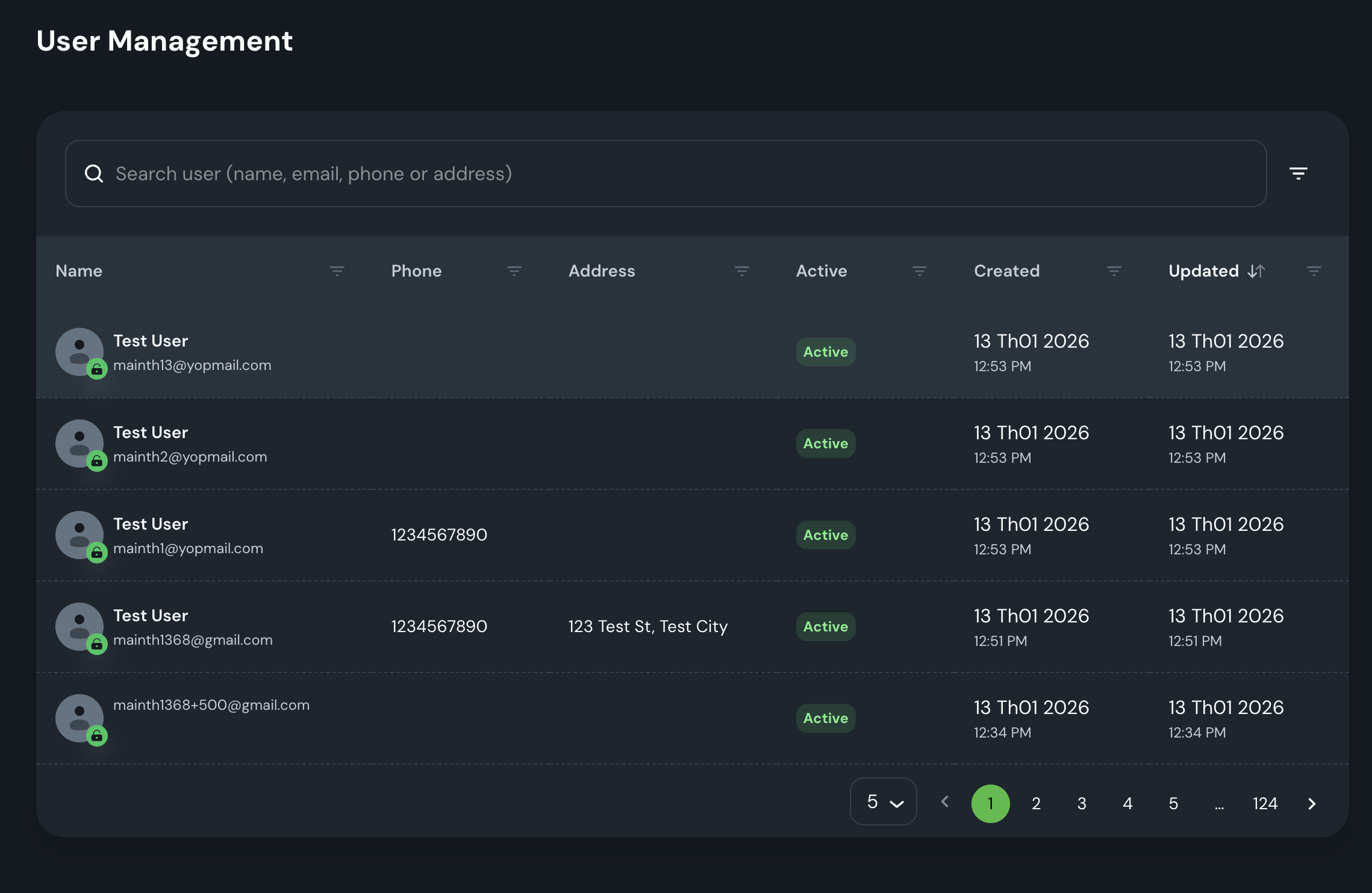
Khái niệm
-
Dữ liệu chia nhiều trang
-
Có Next / Prev / Page number
🔎 Đặc điểm
-
Chia dữ liệu theo page
-
Có Next / Previous / Page number
-
Backend thường hỗ trợ
page,size
📌 Ví dụ thực tế
-
Danh sách user (1000+ records)
-
Transaction history
-
Log system
🧪 Test case thường gặp
-
Click Next → data thay đổi
-
Page size = 10 / 20 / 50
-
Tổng record đúng
🤖 Cách xử lý Automation
-
Lưu data page 1
-
Click page 2
-
Assert data khác page 1
- So sánh dữ liệu trước & sau khi paginate
-
Loop qua nhiều page để tìm recor
first_before = table.locator("tbody tr").first.inner_text()
next_btn.click()
expect(table.locator("tbody tr").first).not_to_have_text(first_before)
👉 Sai lầm phổ biến: chỉ test page đầu ❌
Mẹo
-
Không dùng sleep
-
Có thể dùng page number label để assert
🟦 1.5 Sortable Table
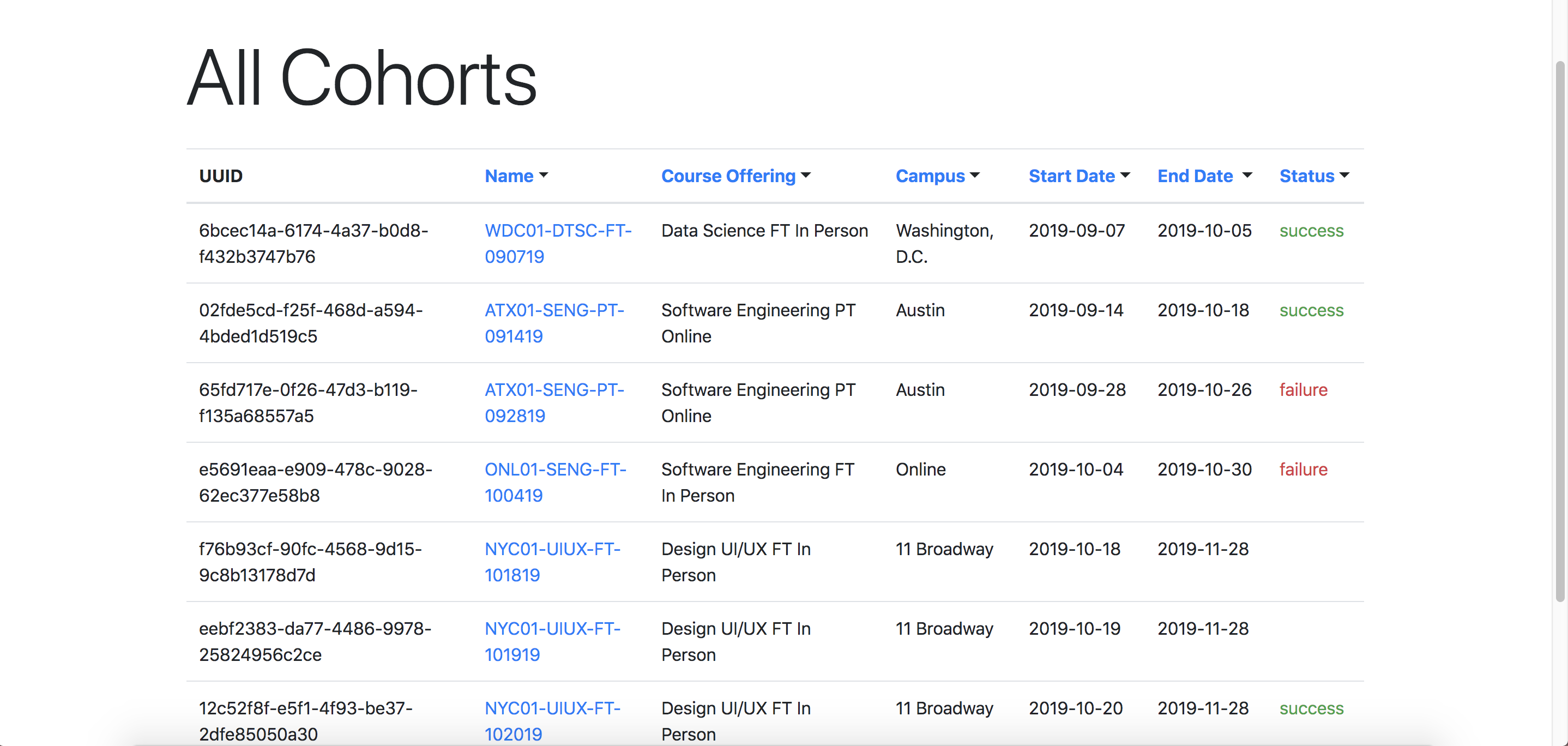
Khái niệm
-
Click header để sort ASC/DESC
-
Sort theo text / number / date
Ví dụ thực tế
-
Sort Name
-
Sort Price
-
Sort Created Date
Cách xử lý
-
Click header
-
Lấy list values
-
Parse đúng kiểu dữ liệu
-
So sánh với
sorted()
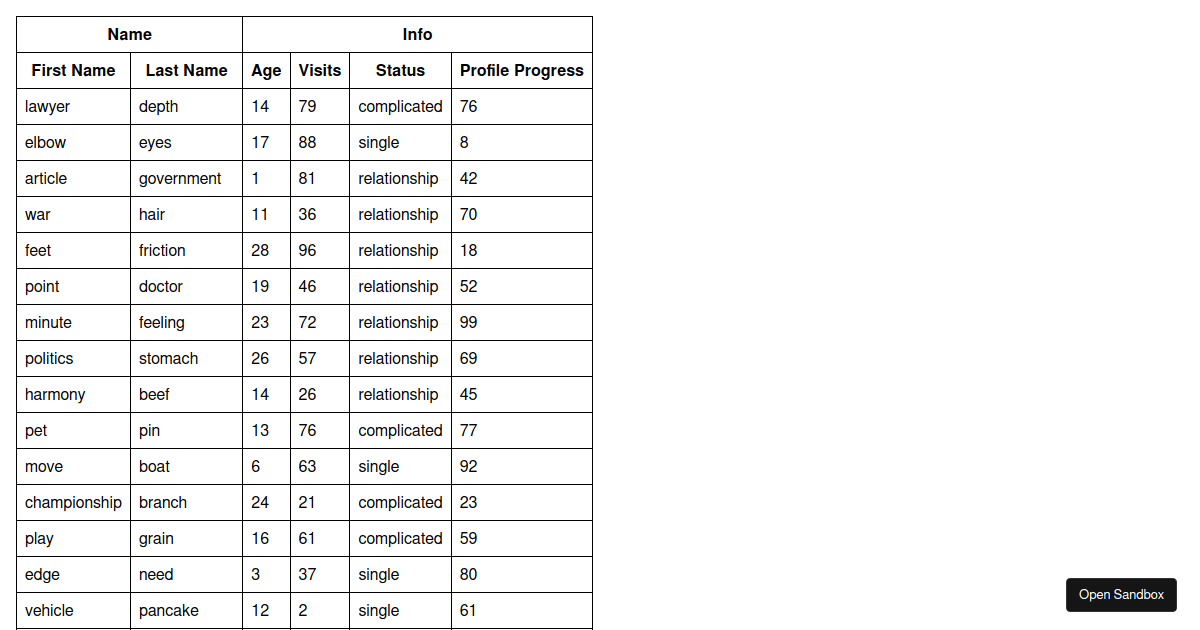
🟥 1.6 Virtualized Table (Table ảo – nâng cao)
Khái niệm
-
Chỉ render các rows trong viewport
-
Scroll mới render row khác
🔎 Đặc điểm
-
Không render toàn bộ DOM
-
Scroll tới đâu load tới đó
-
DOM chỉ có vài chục row
📌 Ví dụ thực tế
-
Log viewer
-
Monitoring dashboard
-
Large dataset admin tool
🧪 Test case thường gặp
-
Scroll → load thêm data
-
Không duplicate record
-
Performance
🤖 Cách xử lý Automation
-
Scroll container (không phải page)
-
Wait data mới xuất hiện
-
Không assert tổng row bằng DOM ❌
👉 Cực kỳ hay gặp ở hệ thống enterprise
Tóm tắt phân loại table:
| Loại Table | Đặc điểm nhận dạng | Chiến thuật xử lý (Strategy) |
| Static Table | Dữ liệu render sẵn trong HTML. View source thấy ngay <table>. |
Đọc trực tiếp DOM bằng locator(). |
| Dynamic (Client) | Filter/Sort không thấy request Network mới. | Chờ UI thay đổi (row count/text) rồi mới thao tác. |
| Dynamic (Server) | Mỗi thao tác gọi API mới. Có Spinner/Loading. | Bắt buộc dùng expect_response hoặc chờ Spinner biến mất. |
| Paginated | Có thanh phân trang (Next/Prev). | Lưu trạng thái dòng đầu -> Click Next -> Chờ dòng đầu thay đổi. |
| Virtualized | DOM chỉ có ~10-20 dòng dù data có 1000. Scroll mới load. | Tránh "đọc toàn bộ". Dùng Search để đưa record vào viewport. |
II. TABLE — ĐỌC DỮ LIỆU THEO ROW / COLUMN / CELL (📊)
2.1 Đọc số lượng rows
2.2 Đọc 1 cell cụ thể
Ý nghĩa từng dòng (bóc tách từng bước)
-
table.locator("tbody tr")-
Lấy tất cả row trong phần thân table (
tbody). -
Kết quả là một Locator (danh sách các phần tử
tr), chưa đọc dữ liệu ngay.
-
-
.nth(row_index)-
Chọn row thứ row_index (0-based).
-
nth(0)= row đầu tiên,nth(1)= row thứ 2…
-
-
.locator("td")-
Trong row vừa chọn, lấy tất cả cell dạng
td.
-
-
.nth(col_index)-
Chọn cell thứ col_index trong row đó (0-based).
-
-
.inner_text()-
Lấy text hiển thị “như người dùng nhìn thấy” (đã xử lý layout/line breaks).
-
-
.strip()-
Xóa khoảng trắng đầu/cuối để assert ổn định hơn.
-
Khi nào dùng cách đọc theo index là hợp lý?
✅ Dùng tốt khi:
-
Table có cấu trúc cột cố định, ít thay đổi.
-
Test muốn verify nhanh “row i, cột j”.
-
Bạn đang viết helper chung để đọc dữ liệu.
⚠️ Cẩn thận khi:
-
Cột có thể bị ẩn/hiện (toggle columns).
-
Table có checkbox/select ở cột đầu → làm lệch index.
-
Có cột “Actions” chứa button/icon (text rỗng).
Mẹo: Nếu cột dễ thay đổi, nên đọc theo tên header thay vì index (phần 6).
Các lỗi hay gặp & cách xử lý
a. Row không tồn tại → lỗi timeout/locator
Ví dụ: row_index lớn hơn số row thực tế.
✅ Cách phòng:
rows = table.locator("tbody tr")
assert row_index < rows.count(), "Row index out of range"
b. Cell không phải td (một số table dùng div)
Nhiều DataGrid/Antd/MUI không dùng <td> thật.
✅ Cách xử lý:
-
Xem DOM thật, đôi khi cell là:
-
div[role="gridcell"] -
div.ag-cell -
div[data-field="status"]
-
Ví dụ grid role:
cell = table.get_by_role("row").nth(row_index).get_by_role("gridcell").nth(col_index)
c. Table reload sau thao tác (filter/paginate) → đọc sai dữ liệu
Bạn click filter xong đọc ngay, table chưa kịp cập nhật.
✅ Cách xử lý:
-
Chờ spinner hidden hoặc chờ first row đổi.
expect(spinner).to_be_hidden()
d. .inner_text() vs .text_content() khác nhau
-
inner_text()= text “rendered”, có thể chậm hơn, chuẩn cho UI. -
text_content()= text raw trong DOM, nhanh hơn nhưng có thể dính whitespace.
Khuyến nghị: dùng inner_text() cho table UI; nếu performance cần thiết thì tối ưu sau.
2.3 Đọc toàn bộ 1 cột
Áp dụng
-
Assert tất cả status = Active
-
Assert kết quả filter
2.4 Chuyển table thành List[Dict]
def table_to_dicts(table):
    headers = [
        h.inner_text().strip()
        for h in table.locator("thead th").all()
    ]
    rows = table.locator("tbody tr")

    data = []
    for i in range(rows.count()):
        cells = [
            c.inner_text().strip()
            for c in rows.nth(i).locator("td").all()
        ]
        data.append(dict(zip(headers, cells)))
    return data
Áp dụng
-
Assert dữ liệu như API response
-
Debug dễ dàng
Best practive🧠✨:
-
Ưu tiên
data-testid/get_by_rolenếu hệ thống hỗ trợ. -
Sau thao tác filter/sort/paginate: phải chờ table reload xong.
-
Nếu cột hay đổi: đọc theo header name, không đọc theo index cứng.
-
Nếu table là DataGrid (không
<td>): cần chọn locator theo role/class đúng.
III. CLICK ACTION THEO ROW (🧩)
3.1 Các kiểu action thường gặp
-
Button trực tiếp trong row (Edit / View / Delete)
-
Kebab menu (⋮)
-
Click row mở detail
3.2 Tìm row theo giá trị key
3.3 Click Edit theo row
3.4 Kebab menu (⋮)
Mẹo
-
Menu thường render ở
<body> -
Không locate menu bên trong row
IV. PAGINATION / SORTING / DYNAMIC LOADING (🚀)
4.1 Dynamic loading – chờ đúng cách
from playwright.sync_api import expect

expect(spinner).to_be_hidden()
expect(table).to_be_visible()
Hoặc:
with page.expect_response("**/api/**"):
    button.click()
4.2 Pagination
def go_next_page(table, next_btn):
    first_before = table.locator("tbody tr").first.inner_text()
    next_btn.click()
    expect(table.locator("tbody tr").first).not_to_have_text(first_before)
4.3 Sorting
Sort text
values = get_column_values(table, 0)
assert values == sorted(values, key=str.lower)
Sort number
nums = [float(v.replace(",", "")) for v in values]
assert nums == sorted(nums)
Sort date
from datetime import datetime
dates = [datetime.strptime(v, "%Y-%m-%d") for v in values]
assert dates == sorted(dates)
V. DROPDOWNS — TỔNG QUAN & XỬ LÝ
5.1 Các loại Dropdown
-
Native
<select> -
Custom dropdown (React / Antd / MUI)
-
Searchable dropdown
-
Multi-select dropdown
-
Dropdown trong table
5.2 Native dropdown
5.3 Custom dropdown
dropdown.click()
page.get_by_role("option", name="Active").click()
Mẹo
-
Option chỉ tồn tại sau khi mở dropdown
-
Không locate option trước
5.4 Searchable dropdown
5.5 Multi-select dropdown
dropdown.click()
for role in ["Admin", "Editor"]:
    page.get_by_role("option", name=role).click()
page.keyboard.press("Escape")
VI. CÁC LỖI PHỔ BIẾN & CÁCH TRÁNH
❌ Đọc table khi chưa load xong
❌ Dùng sleep()
❌ Hard-code row index
❌ Locate option dropdown trước khi mở
✅ Luôn chờ điều kiện rõ ràng
✅ Viết helper reusable
✅ Assert theo dữ liệu, không theo vị trí
VII. TỔNG KẾT BUỔI 14
-
Table & Dropdown là trọng tâm automation UI
-
Cần nhận diện đúng loại table trước khi code
-
Automation tốt = ổn định + tái sử dụng + ít flaky
-
Buổi 14 là nền tảng cho automation Admin / Dashboard / Project thực tế